Introduction
One critical aspect of Topology maps is Direction, which indicates the orientation of relationships between nodes. The Direction setting determines which connections are displayed for nodes in the topology map, allowing you to focus on specific paths such as inbound, outbound, or bidirectional relationships.
Following are the direction types (Outbound, Inbound, and Both) with examples for each:
Outbound: Shows only relationships originating from the selected node toward other nodes. Useful for understanding dependencies or links that start from this node.
Example Outbound direction in Hierarchical layout:
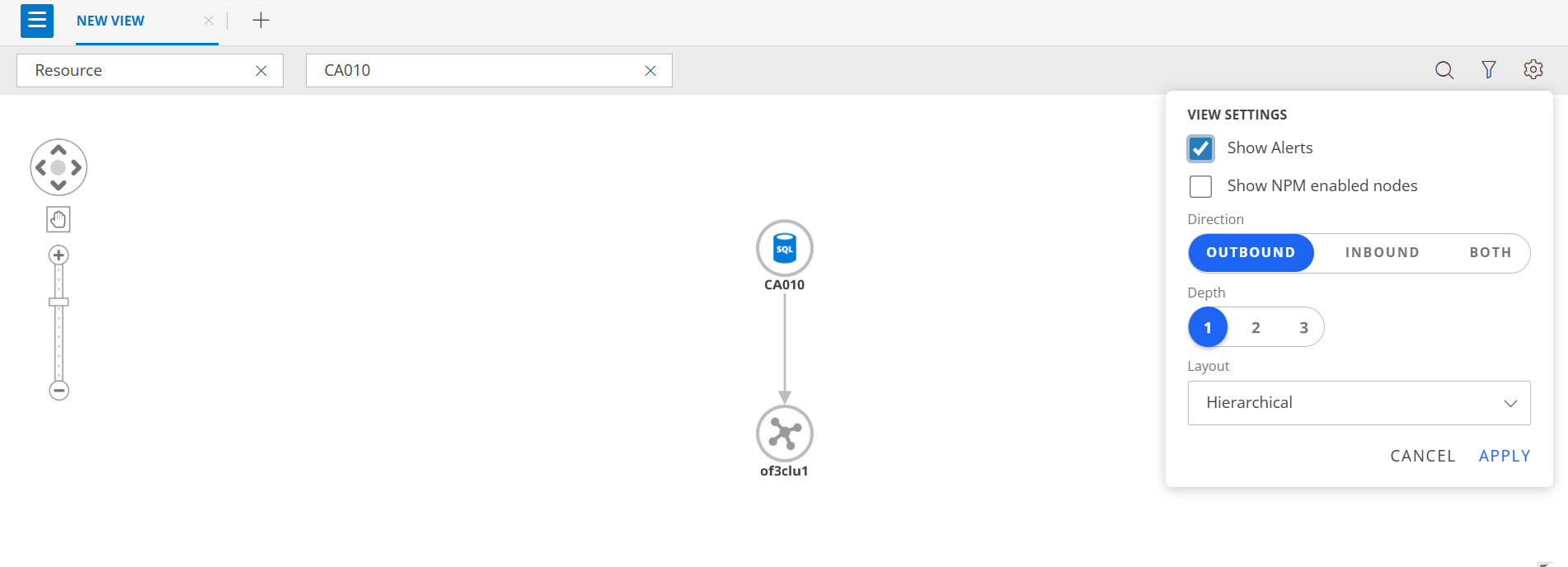
- The selected node CA010has outbound relationship to of3clu1.
- Arrows indicate the outbound connections from the node to its linked component(s).
Inbound: Displays only relationships coming into the selected node from other nodes. Helpful for analyzing what depends on this node or what influences it.
Example Inbound direction in Hierarchical layout:
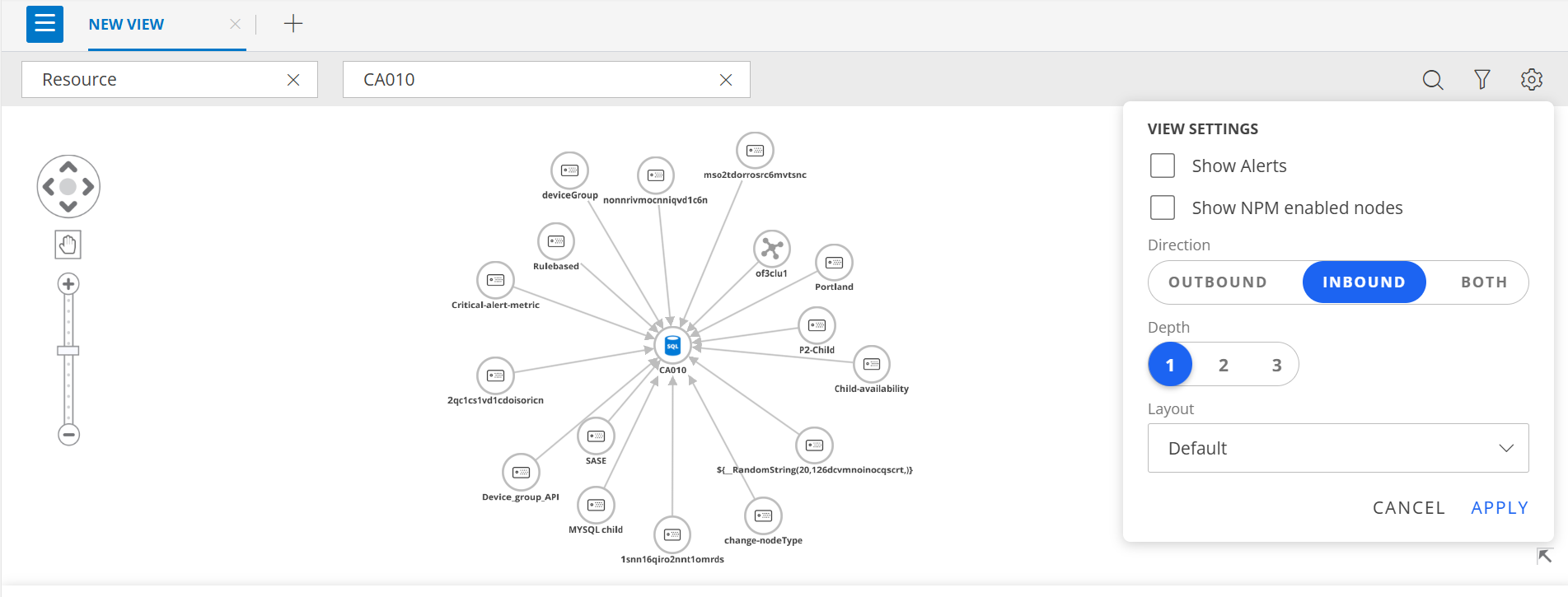
- The selected node CA010 has inbound relationships from multiple connected components.
- Arrows indicate the inbound connections pointing toward the node from these components.
Both: Shows all relationships connected to the selected node, regardless of direction. Ideal for getting a complete view of all dependencies and connections.
Example Inbound-Outbound direction in Hierarchical layout:
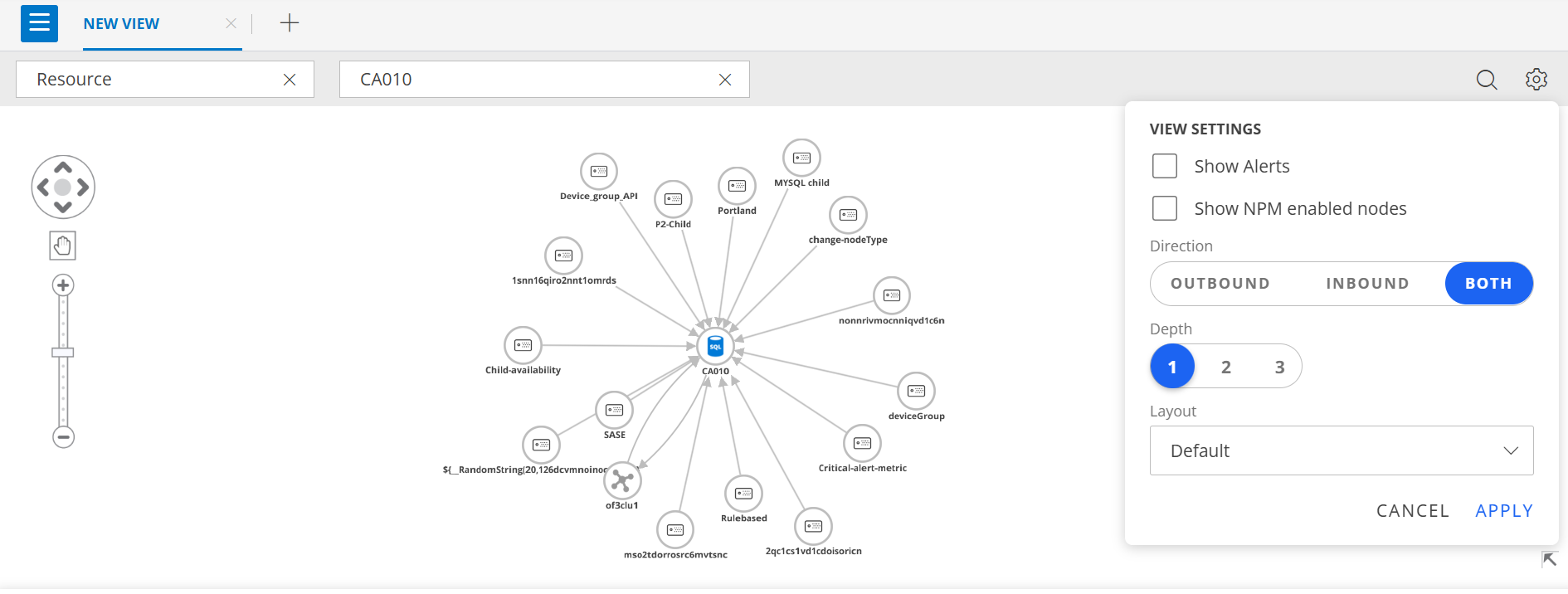
- The selected node CA010 shows both inbound and outbound relationships.
- Arrows indicate connections where links are entering the node (inbound) and leaving the node (outbound), providing a complete view of all connected components.