Introduction
Authentication provides security by verifying that a user has appropriate access permissions. When logging in, the system checks the provided username-password pair against its list of registered users.
Authentication can be done using native authentication or one of the following methods presented in the subsequent sections:
- Two-factor authentication: YUBICO, TOTP, and DUO Security
- Single Sign-On (SSO)
Change your native authentication password
- Log into OpsRamp using your current username and password.
- Mouse hover over your avatar at the right-top corner of the page and select Change password.
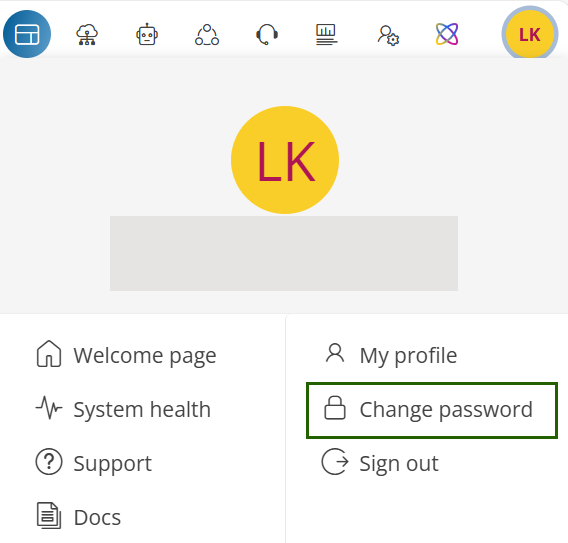
- A Change Password screen will appear.
- Provide the details like current password, new password, and repeat new password in the fields, and click UPDATE.
Added browser security
You can take an additional step to protect your password by not saving passwords in the brower. When presented with the option to save the password, take the following browser-dependent action:
| Browser | Recommend safety guideline |
|---|---|
| Safari | Choose the Never for this Website option. |
| Chrome | Choose the Never for this site option. |
| Firefox | When prompted Would you like to remember the password for USER on SSOlogin.com?, choose the Never Remember Password option. |
| Microsoft Edge | Choose the Don’t Ask Again option. |